
Dutch E-Auction - online event, where suppliers can only accept price which is offered based on Buyer`s settings.
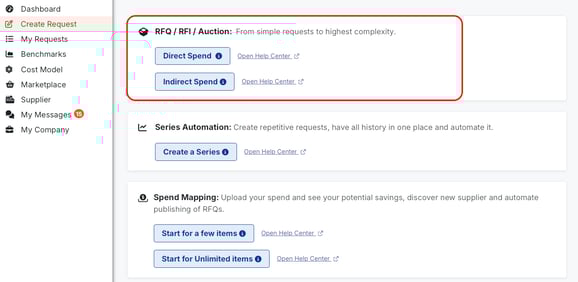
To start creating Dutch E-Auction, user should go to the left-side menu, section `Create Request`. In section `RFQ, RFP, Auction` user should select Direct or Indirect type:
- Direct type - has a set of required columns, such as Item name, Unit, Unit of Measure, Quantity, Supplier Price per Unit. Typically it is used for row materials.
- Indirect type - provides more flexibility, has only one obligatory column, Item name. It is mostly used for logistics, packaging, services etc.
Creating E-Auction is very similar to RFQ creation. It also takes four steps: General Info, Items tab, Suppliers tab and Preview. You can read more about it in the article.
General Info
On this page user should set up Name, Description, Start and End dates, Currencies, Advanced Settings, Attachments etc.
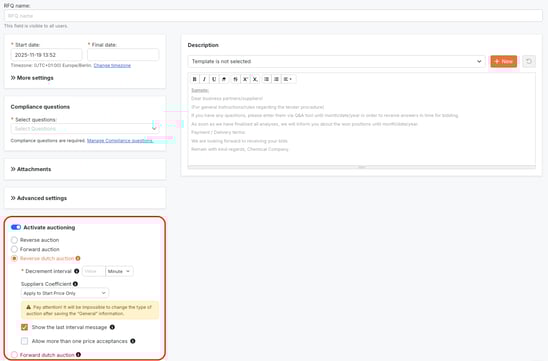
Auction settings:
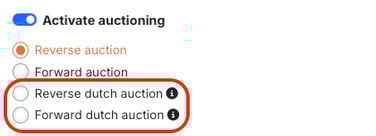
- Select Dutch E-Auction type: Reverse (with price decrease) or Forward (with price increase).
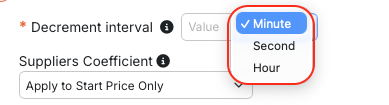
- Decrement/Increment Interval: defining how fast price will increase/decrease. Users can set up needed time period in seconds, minutes or hours.
- Supplier Coefficient: effortless setting up special bonus/malus for suppliers individually. There are three types of Coefficient:
- Apply to Start Price Only - coefficient is calculated at the beginning, only for Start Price;
- Apply to Start Price and Each Quote - coefficient is calculated for both: Start Price and each quote from suppliers;
- Apply to Each Quote Only - Coefficient is dynamically calculated for each quote from suppliers, but not for Start Price.
- Apply to Each Base Quote - Coefficient is calculated for every base price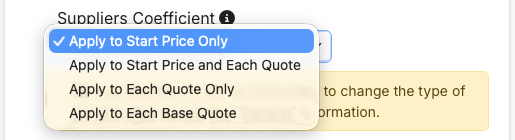
Please pay attention that it will be impossible to change the type of e-auction after saving information on General Info tab. - Show the last interval message: if enabled, during last interval suppliers will see the message `The last interval started with possibility to accept pricing`.
- Allow more than one price acceptances: the e-auction will NOT end when one supplier accepts price. This function allows all invited suppliers to accept price within the same interval:
- if two or more suppliers accept price, they will not be awarded automatically, event owner should do the awarding manually
- if only one supplier accepts price, they will be automatically awarded
- if no supplier accepts price, e-auction ends as time runs out
Items tab
While adding and editing Items tab, it is important to make sure that all information about requested products is inserted in columns.
Detailed guidance on adding and managing items can be found here.
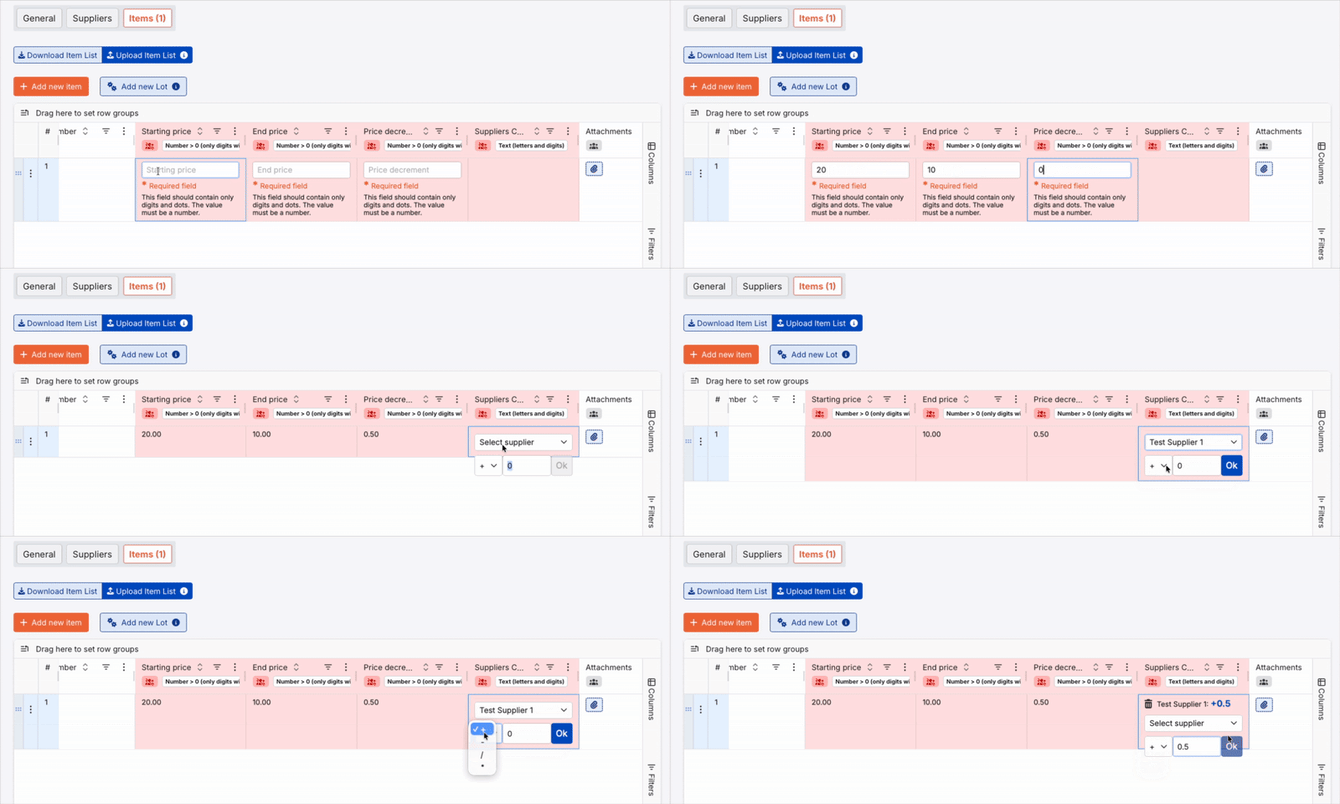
In Dutch E-Auction it is important to fill in the following columns:
- Starting Price. Users should enter value, from which price increase/decrease will start.
- End Price. Users should enter final value, up to which price will change.
- Price increment/decrement. Users should enter value, by which price will change. For example, if Price increment/decrement is 0.5, the price will increase/decrease by 0.5 every time according to Decrement/Increment Interval on General Info tab.
- Supplier Coefficient. Users can set up special bonus or malus per supplier effortlessly.
Suppliers tab
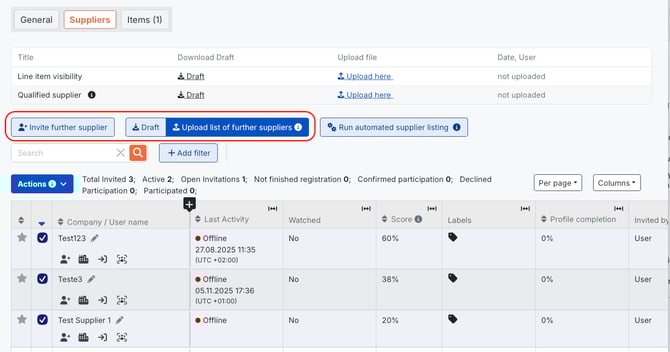
Users can insert Company name, User name or email address in `Search` filed in order to find needed suppliers in the list and invite them.
There are two ways of inviting incumbent suppliers to Dutch E-Auction:
- one-by-one with the button `Invite Further Supplier`
- bulk invite: users should download the draft by clicking button `Draft`, fill it in accordingly and upload it back to the platform with button `Upload list of further suppliers`
Preview
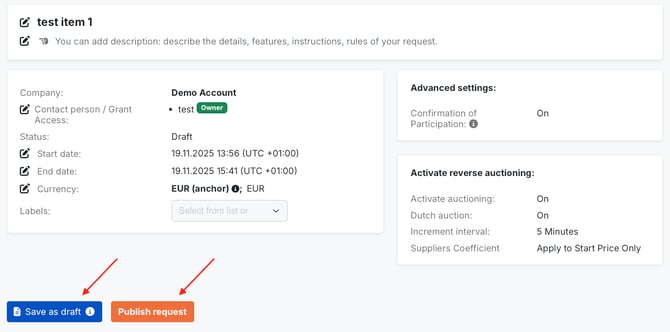
On this tab users can review the whole event set up including General Info tab, Items and Suppliers lists.
Users also can decide either to Save the event as a draft or Publish it.
Summary
Dutch E-Auction on PINPOOLS is designed for effortless creation and management of such online event and takes the following steps:
- setting General Info tab;
- adding requested materials on Items tab;
- inviting vendors on Suppliers tab;
- checking event before publishing it on Preview tab.
Enabling special Auction settings can help Buyer users to arrange Dutch E-Auction according to their strategy.