
Benchmark is a medium price for a material, which is based on real transactions through PINPOOLS platform.
Having access to Benchmark information gives a lot of advantages, such as:
- better transparency of the market
- real data and helps to understand profitable timing for going on market
There are two ways to check benchmarks on the platform: Benchmarks tab and Spend Mapping.
Benchmarks tab
Here users can check available benchmarks, read Forecasts and News for particular materials.
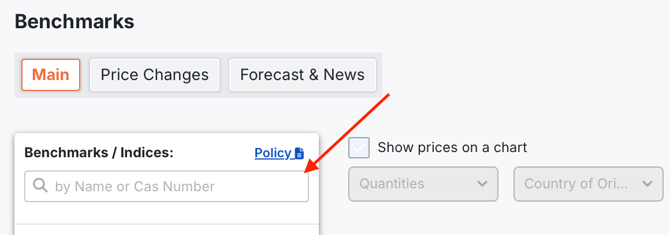
Section Main. Searching Benchmarks
Step 1. Insert Product Name or CAS number.
Step 2. Choose the benchmark you need in the list and click on empty box  or material name.
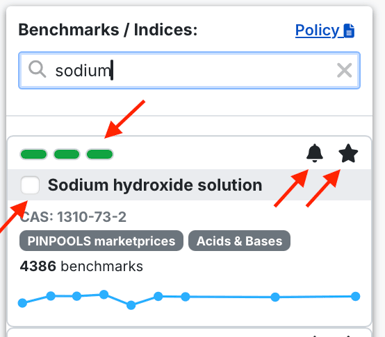
Step 3. Check material profile with the following sections:
- reliability score based on pill indicators based on number of processed transaction - high reliability
 - moderate reliability
 - low reliability
- add to Favourites 
- set an alarm This function notifies users about price changes over some time period.To activate it, users should mention value in percentage and select a time period (1 day, a week or 1 month)
Click the empty box on the left from the material name to see a graph.
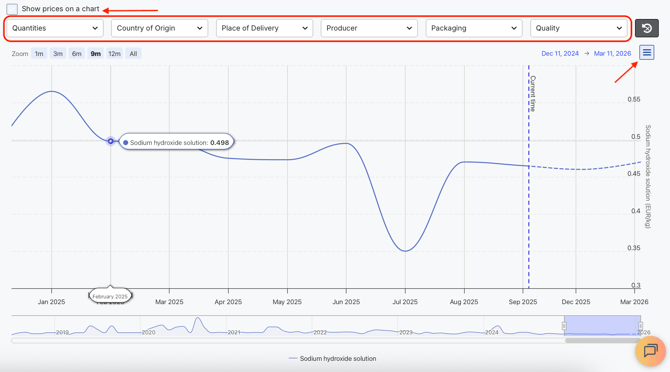
Control the graph by using such Filers as Quantities, Country of Origin, Place of Delivery, Producer, Packaging and Quality.
There are also additional functions for users` convenience:
- Click this button
 to download the graph in different formats.
 - Select the time period.

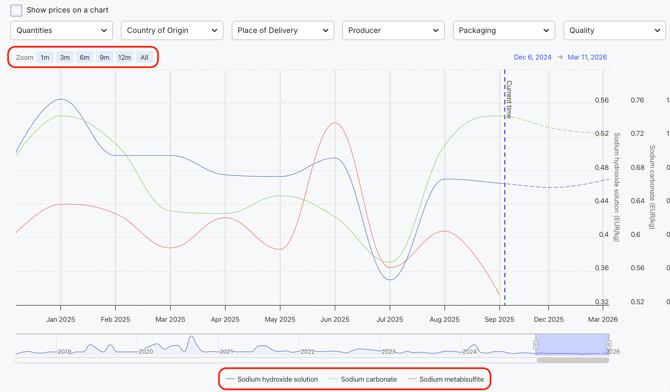
Click material names below the graph to hide and unhide graphs for the materials.
4. View or download information from the graph as Table.
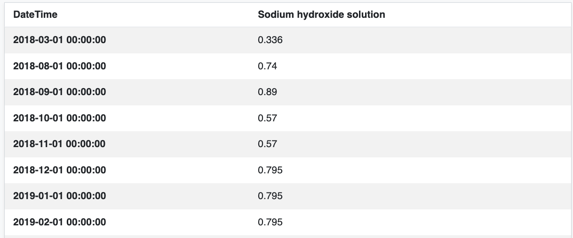
On Benchmark tab, there is also section Forecasts & News. This section provides relevant updates per material: Intro information, Details, Reactions, Conclusions, Force Majeure/Plans Shutdowns, Data Source and Data source url and forecasts for 3 and 6 months with detailed explanation.
Please note, that all Benchmark data is reflected in euro (EUR) and other currencies are not currently available.
Spend Mapping
Check needed benchmarks and suppliers who can offer the materials you need. Go to Create Request tab and select Spend Mapping.

After selecting or inserting needed materials, the system provides information about the medium price and amount of available benchmarks. There is also a list of suppliers whose offers were included into benchmark calculation.
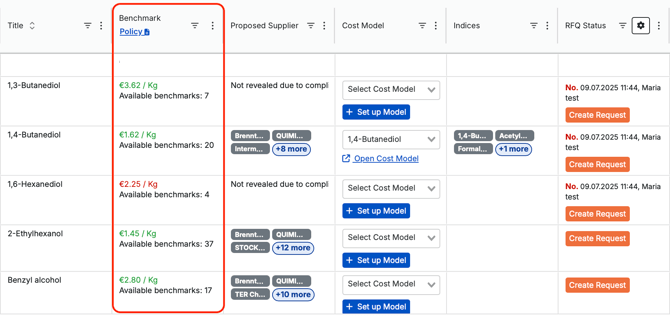
More information about using Potential Savings Tracker can be found here: Article `Spend Mapping`.
To sum up, there are two ways to get benchmarks for products:
1) use Benchmark tab to find more detailed information for one or a couple of materials;
2) use Spend Mapping to get general benchmark information for a list of products.