
After being invited to participate in tenders, Suppliers can grant access to their colleagues, so they can also view and take part in the event.
How to Give Access
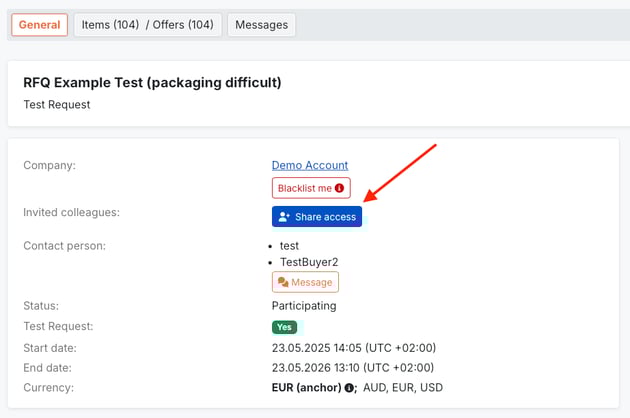
1. Find and enter needed RFQ;
2. On General tab, navigate to Share access button and click it.
3. After a new window pops up, you can do the following:
- search a person, who should have the access;
- select needed person in the list and click button in Access type field:
Access means a person can enter and participate in the event;
No Access means a person can`t enter and view the tender.
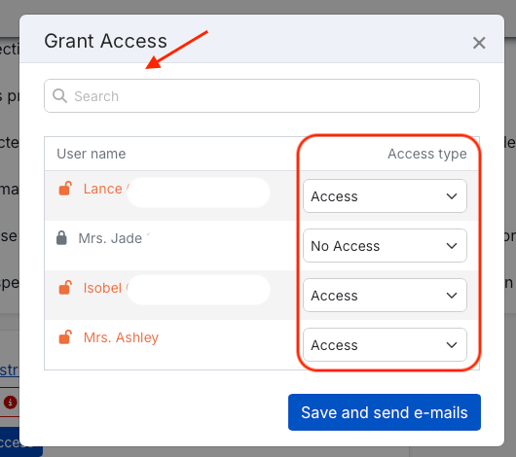
Click button Save and send e-mails, so your colleagues will receive email invitations and the possibility to participate in the event.
How to Invite a New User and Share Access

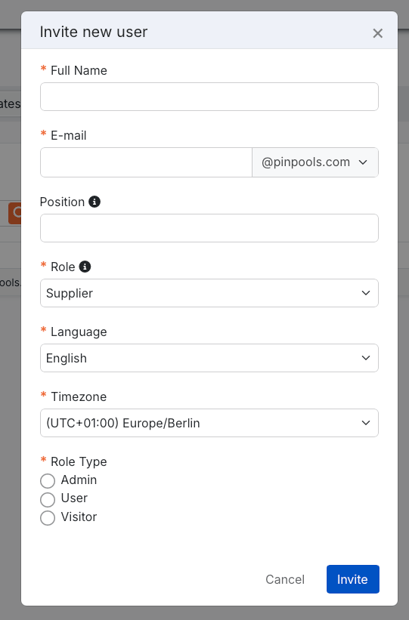
If you have Admin rights and need to grant access to someone who isn't on PINPOOLS yet, you should click button Invite a new user. You will be redirected to your Company Profile.
Find orange button Invite a new user in the top right corner and fill in the fields with Full Name, E-mail, Position, Role, Language, Timezone and select Role Type and click button Invite
If you have difficulties with access sharing, please contact PINPOOLS Support Service.