Once E-Auction is published, several additional tabs will become available, providing more in-depth insights and data:
Bid History tab
Once E-Auction starts, Buyer users can view suppliers` activity on tab Bid History live:
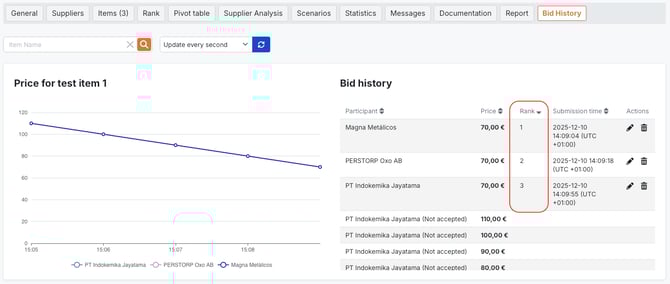
- graph on the left shows dots and lines in different colours to indicate suppliers who quoted and helps to track suppliers performance live during e-auction
- table on the right contains information about participants and their ranks, accepted price, submission time and buttons to edit or delete already given offers.
Note 1: only Buyer users can edit and delete accepted offers by Suppliers.
Note 2: Suppliers have different ranks only in case if such setting as `Allow more then one price acceptances`, which allows several suppliers to accept prices. In this case Buyer users should select which supplier to award.
If setting `Allow more than one price acceptances` is disabled, only one supplier will be able to accept price. As soon as they accept it, they will be automatically awarded.
Bid History for more then one price acceptance:
Bid History for only one price acceptance: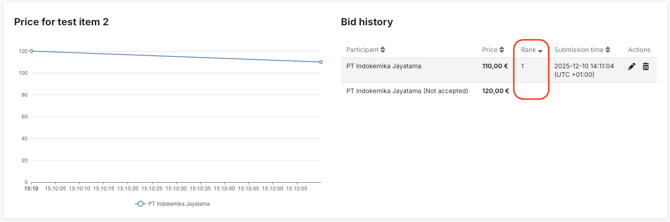
Users can also download graphs from Bid History tab.

Rank tab
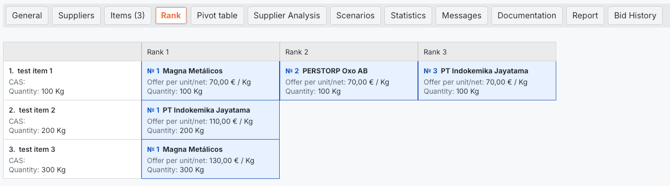
Here users can find information about Suppliers who participated, Items they quoted for, Accepted Price, Quantity and Ranks assigned to suppliers according to prices suppliers accepted.
Pivot Table tab
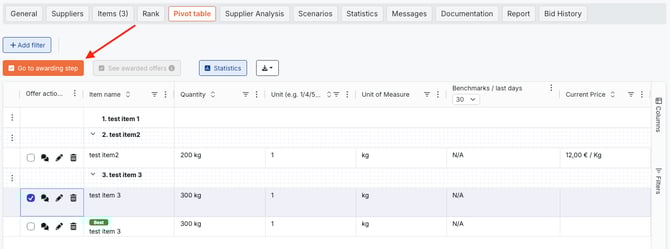
Pivot Table is designed to provide a holistic view of offers accepted by suppliers and wide range of functions to make the selecting and awarding process comprehensive and well-structured. You can read more about utilising Pivot table here.

Supplier Analysis tab
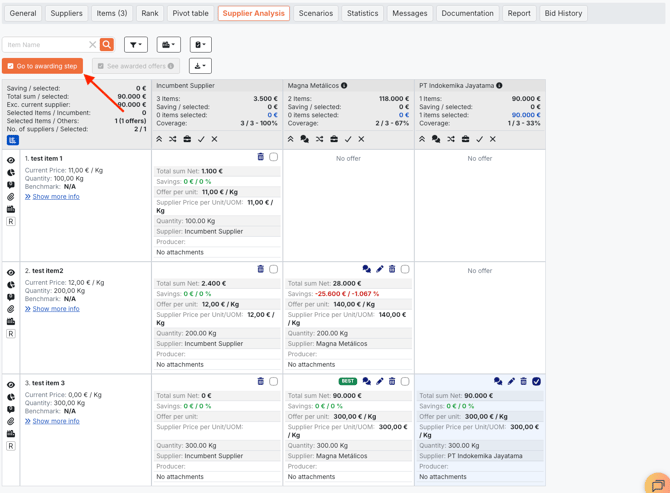
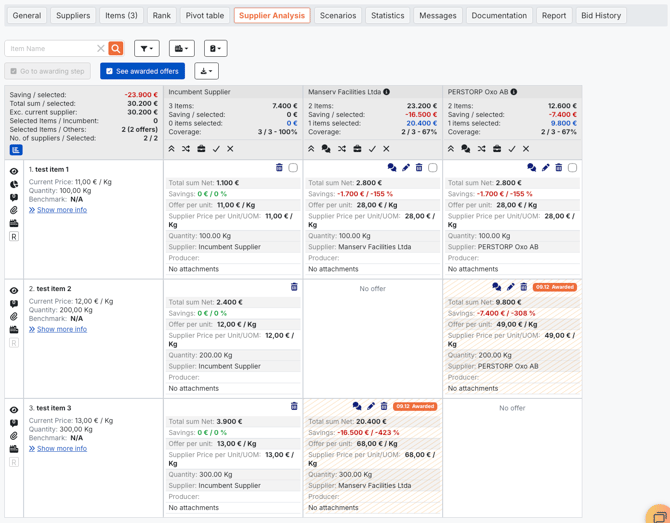
Here users will see a list of items with all the details provided during e-auction creation, together with accepted offers by suppliers. You can view the savings from each selected offer as well as the total savings.
Awarding within Dutch E-Auction
If there are multiple accepted prices, which should be awarded, Buyer users can select offers and award them on Pivot table and Supplier Analysis tabs.
Pivot Table tab
Supplier Analysis tab